

Your own TMDB key for SerKal
SerKal uses The Movie Database (TMDB) to find series, seasons, episodes, descriptions and images. Every user therefore needs their own free TMDB Developer access and personal API key.
1. Sign in and open the API section
If you do not yet have a TMDB account, begin at Create a TMDB account, verify your email address and sign in.
Then open the TMDB API settings. TMDB recommends completing the application in a desktop browser.
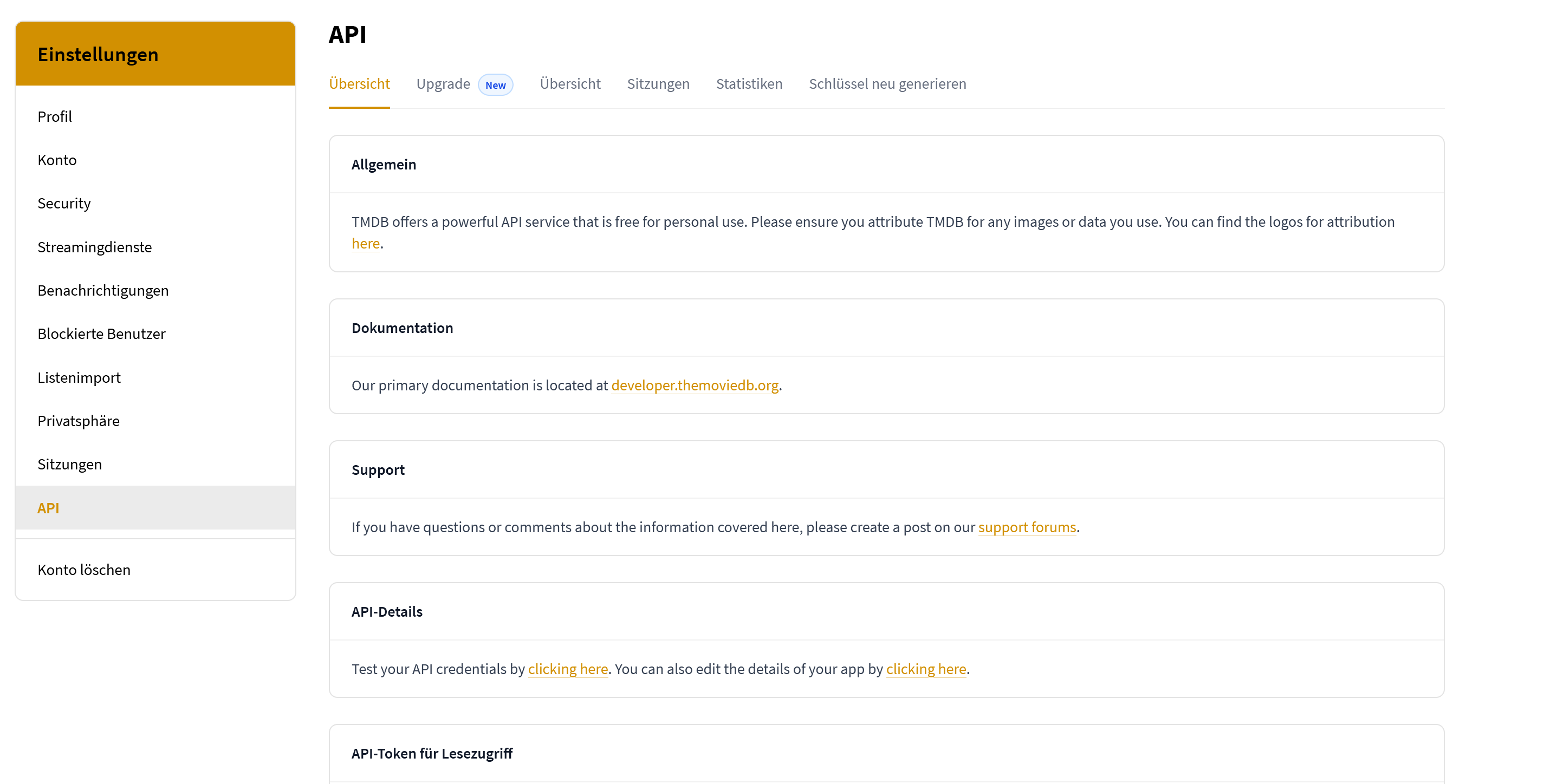
Select “API” on the left in your account settings.
2. Choose free personal use
- Choose free Developer access.
- Select Personal Use.
- Confirm the displayed terms. TMDB may ask you to confirm personal use and the terms in successive steps.
- The Manage API Services page then displays Developer Plan – Free – No monthly fee.
3. Complete Application Details
Application URL: https://serkal.de
Type of Use: Desktop Application
Application Summary:
SerKal is a free, non-commercial desktop application for personal TV series management. It uses TMDB to search for TV series, seasons, and episodes and to display related information and poster images. SerKal helps users organize their series and add episode dates to their personal calendar.
You can copy the complete summary above into the large text field.
\n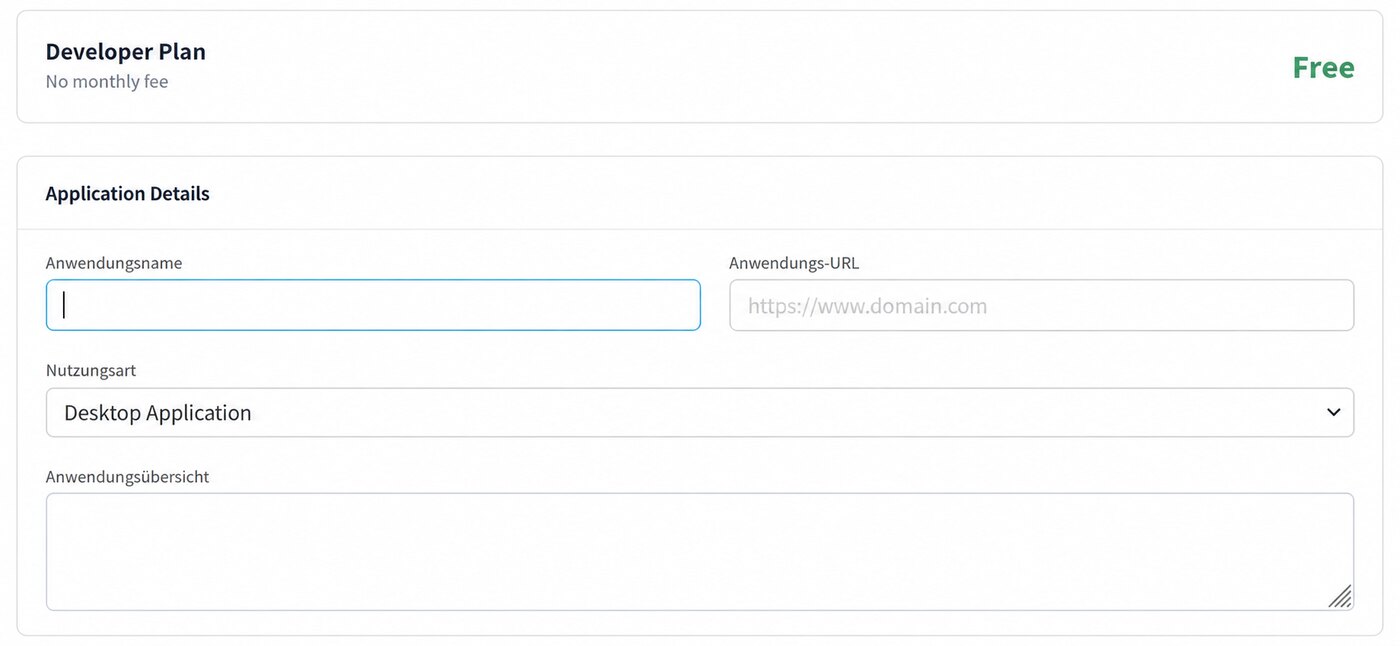 \n
\n The new form: free Developer Plan and “Desktop Application” as type of use.
4. Enter your own contact details
TMDB then asks for your correct personal contact information: first and last name, email address, telephone number, address, city and postal code.
- Address 2 (optional) may be left empty.
- If your country has no suitable subdivision, enter a commonly used region; if none exists, use N/A.
- Accept the terms at the bottom and submit the form.
5. Open the confirmation link
Click the blue link Access your API key details here. This opens the page containing your credentials.
\n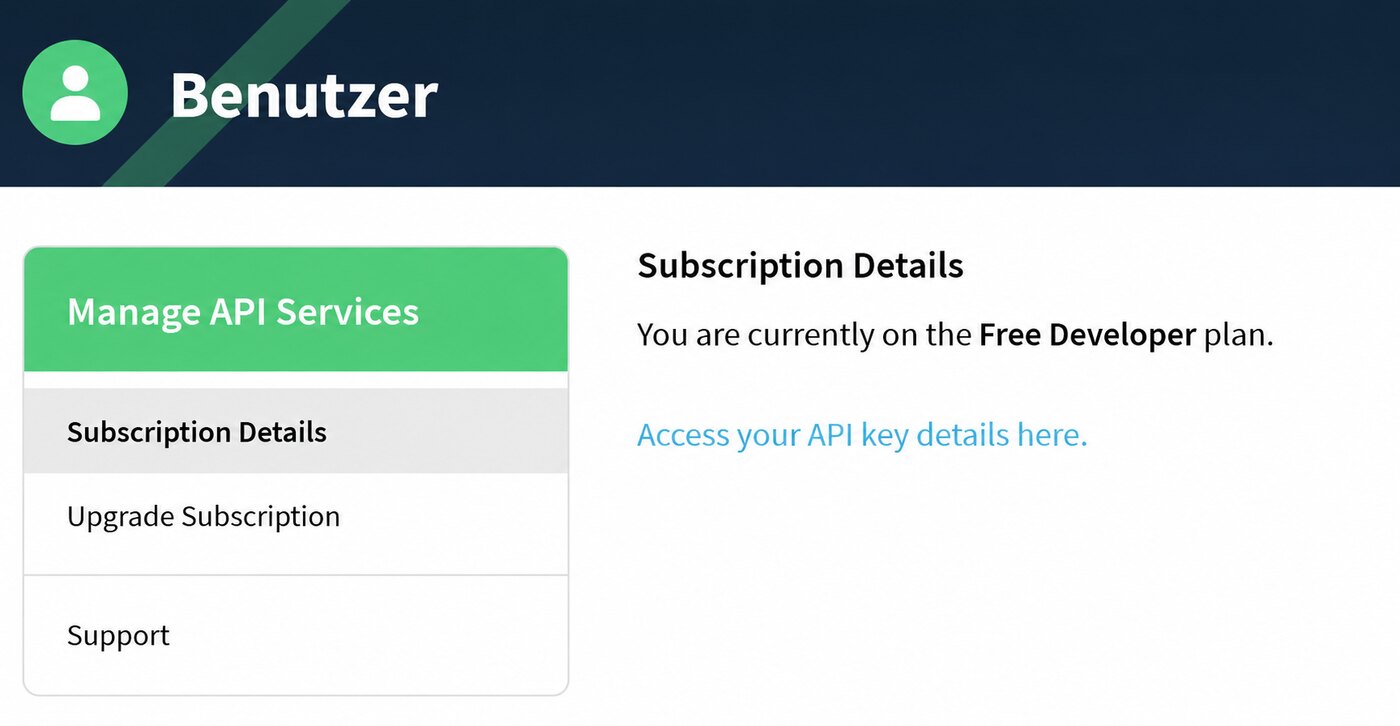 \n
\n The successful intermediate page. The blue link opens your API credentials.
6. Choose the correct key
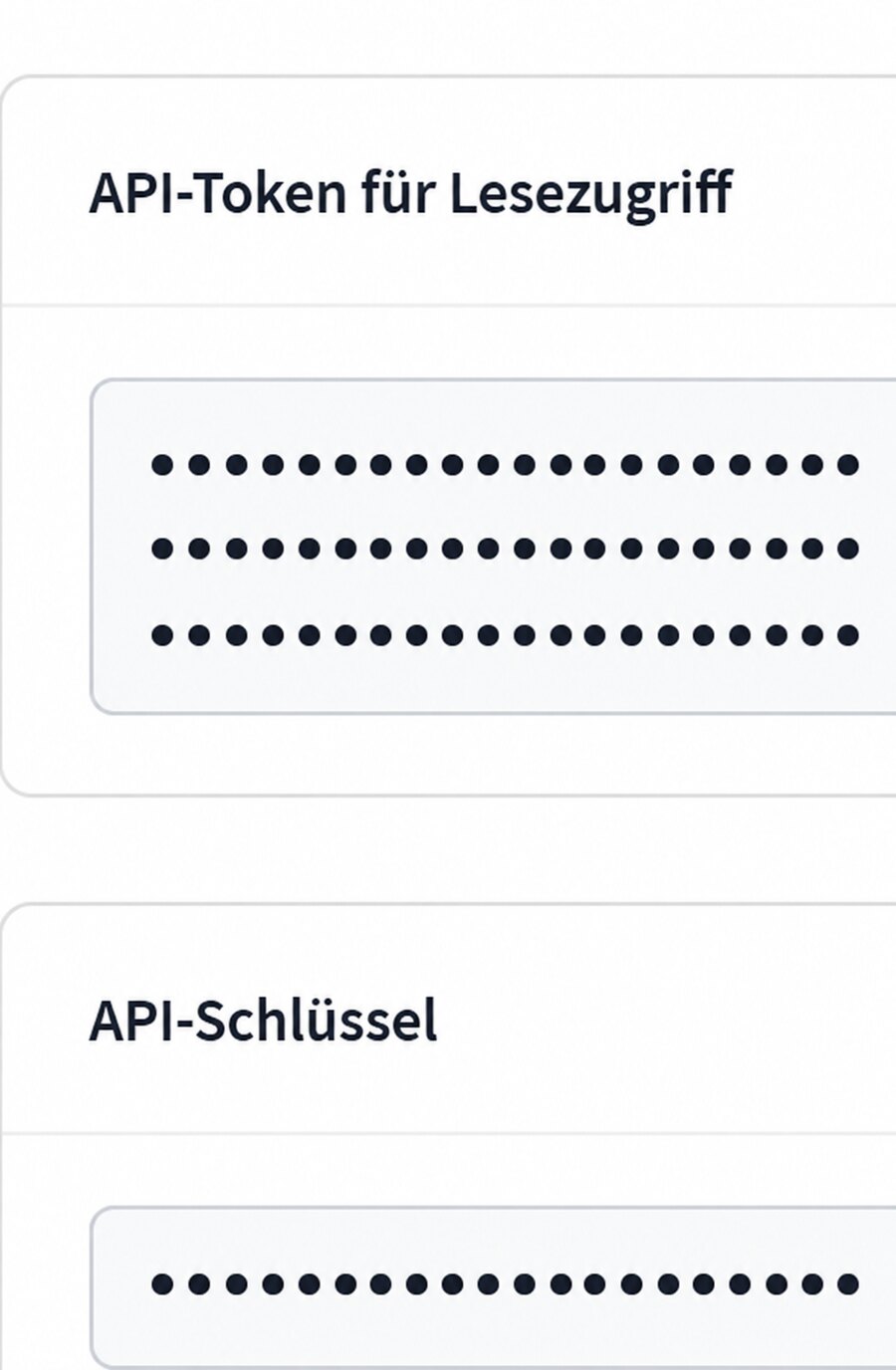
At the bottom of the new page, TMDB displays two different credentials:
 \n
\n The long read token is shown above; the short API Key for SerKal below. All values are fully concealed in this example.
\n7. Enter the API key in SerKal
Copy the short API Key into the TMDB API Key field during SerKal setup.
SerKal verifies the key and stores it locally on your own computer, so you normally only need to enter it once.
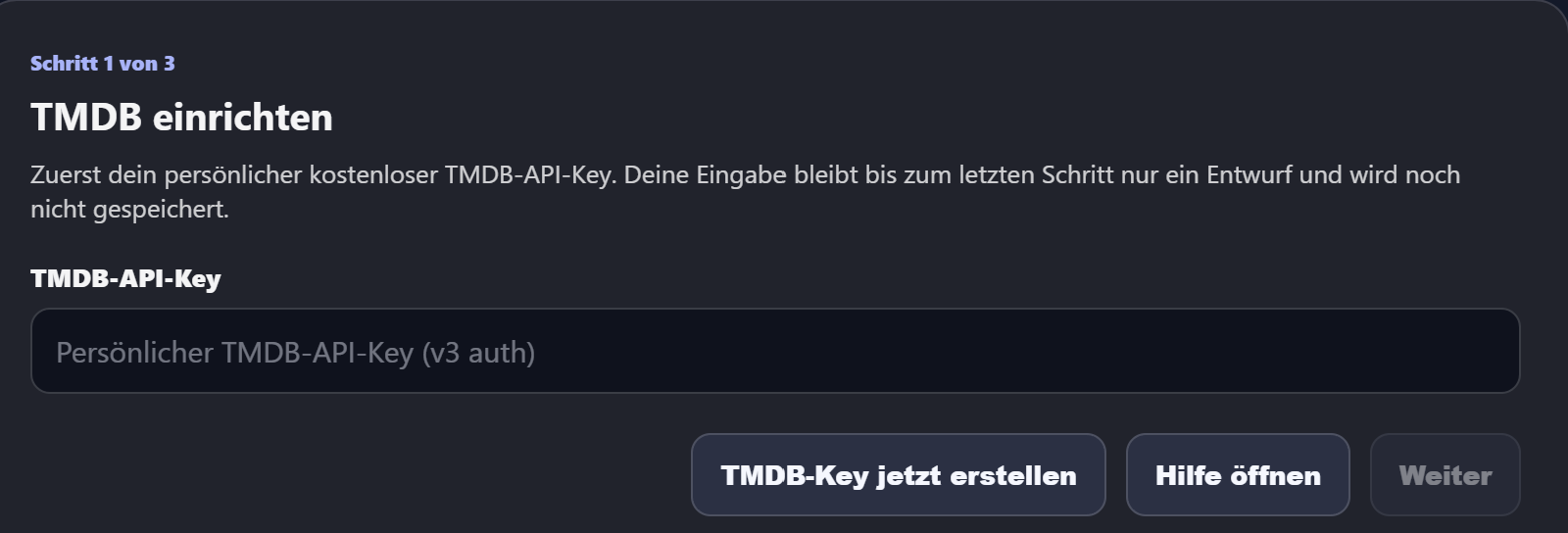
Enter the short API Key here, not the long read access token.
Why is the TMDB key required?
Initial setup cannot be completed without a valid personal TMDB key. SerKal needs it for TMDB search, series information, images and TMDB-based maintenance.

TMDB attribution: This product uses the TMDB API but is not endorsed or certified by TMDB.